
How to Delete Your Data
Herpes Hearts respects your right to control your personal data. You can permanently delete your profile and all associated data at any time.
1
Navigate to Settings
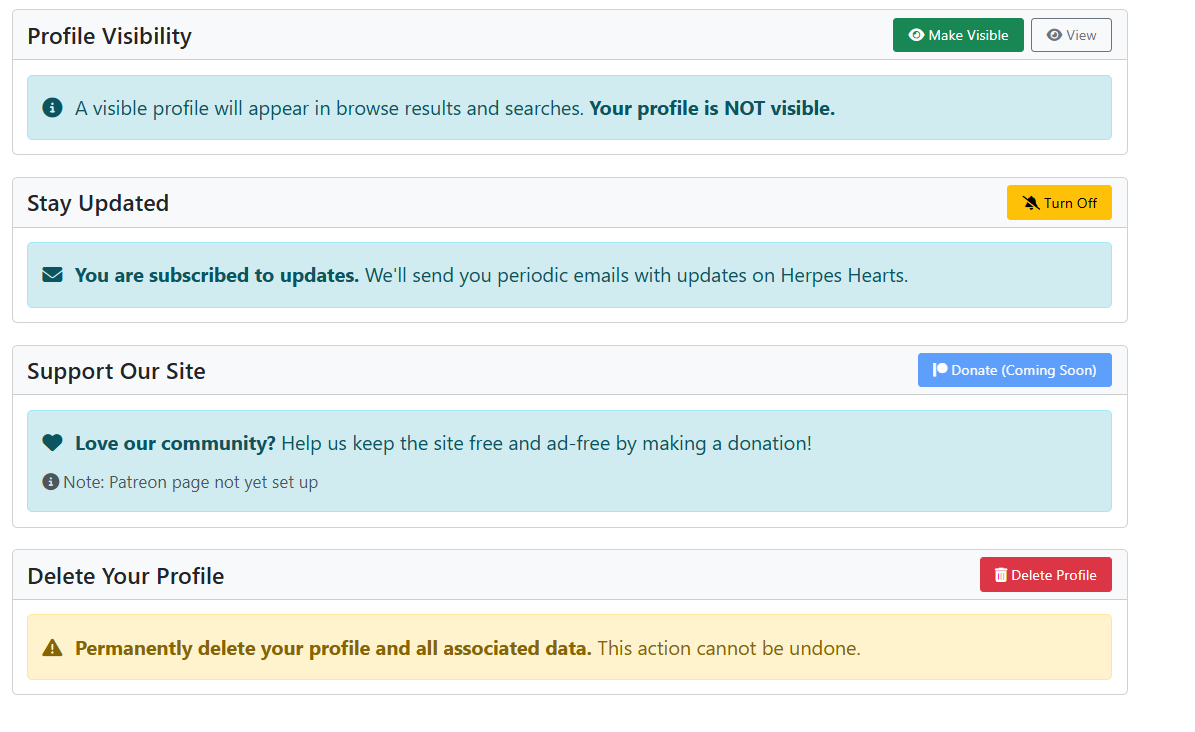
From any page, click Settings in the navigation menu. On the Settings page, scroll down to the Delete Your Profile section.
2
Confirm Deletion
Click the Delete My Profile button. A confirmation dialog will appear warning you that this action is permanent and cannot be undone.
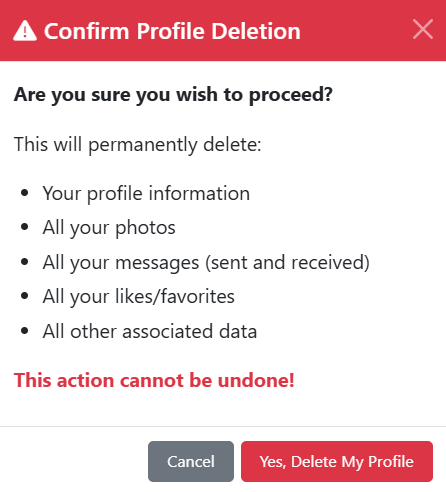
Review the warning carefully, then click Yes, Delete Everything to proceed, or Cancel to go back.
What Gets Deleted
When you delete your profile, the following data is permanently removed:
- Your profile information (display name, bio, location, date of birth, etc.)
- All profile photos
- All messages (sent and received)
- All likes
- Your account and login credentials
This action is irreversible. Once deleted, your data cannot be recovered. If you wish to return to Herpes Hearts after deleting your data, you will need to create a new account.